
Find a doctor and book online
On BigMed you see the consultation price and the nearest free time before you book. Booking is free; you pay for the visit at the clinic.
- Free booking
- Georgian, Russian, English
- Price and time up front
Popular specialties
How many doctors and what a consultation costs on BigMed.
Popular doctors
Tap a time on the card and the booking form opens with that date and time already selected.




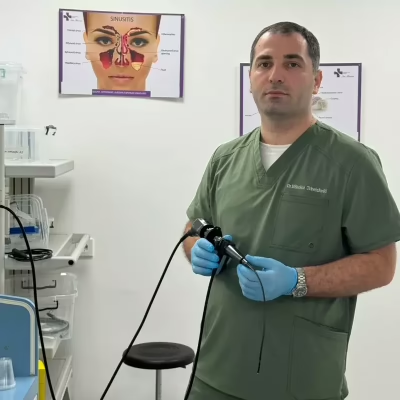
All prices · 3 appointment types
- Consultation 100 GEL
- Adult appointment 100 GEL
- Child appointment 100 GEL





All prices · 5 appointment types
- Consultation 150 GEL
- Adult appointment 150 GEL
- Child appointment 150 GEL
- Follow-up appointment 115 GEL
- Online consultation 130 GEL
All prices · 5 appointment types
- Consultation 150 GEL
- Adult appointment 150 GEL
- Child appointment 150 GEL
- Follow-up appointment 115 GEL
- Online consultation 115 GEL
How booking works
-
1
Choose a doctor
Compare the price, the clinic and the nearest free time.
-
2
Pick a date and time
The calendar marks the days when the doctor has free time.
-
3
Add your info
Name, phone and email. The doctor or the clinic confirms the request.
Guide: how to choose a doctor and book
How to choose a doctor in Georgia
Start with the kind of help you need. Specialty, experience, the clinic address and the consultation price answer different questions. When they are all in one profile, it is easier to decide who you want to see. A single rating or a friend's recommendation does not give the full picture.
If you know the specialty, find the matching doctors and compare several profiles. If you do not know which specialist you need, do not pick one by advertising alone. Describe your concern to the clinic and ask who you can book with. Search helps you find information, but it does not make a diagnosis.
The right doctor differs from patient to patient. Check whether the doctor sees patients of your age and works in the area you need. This matters most when booking for a child: not every doctor of the same specialty sees children.
AI assistant: if you do not know which specialist you need
If you need help choosing a specialty, you can use the BigMed AI assistant. Describe what is bothering you and answer the follow-up questions. The assistant helps you find the right field and the doctors listed on BigMed.
The AI assistant does not make a diagnosis and does not replace a doctor. Its answer should not be the only basis for a medical decision. You need to sign in to a patient account to use it.
Search and the AI assistant are two different ways to start. If you know the specialty or the doctor's name, use the catalog. On the home page you can also start a search with a symptom; the result does not replace a doctor's assessment.
Doctor's experience: what to check
Judge a doctor's experience against your own need. The number of years in practice is useful, but also look at the specialty, education and areas of practice. A long biography alone does not mean the service you need is available.
If something important is missing from the profile, do not fill the gap with a guess. Ask the clinic whether the consultation or service you need is possible. If the doctor works at several clinics, check which address the specific appointment is at.
Doctor reviews: how to read and compare them
Doctor reviews help you learn from other patients' experience. Look for specific details: did the doctor explain the recommendations, could you ask questions, what is said about how the visit was organised and about communication. This is more useful than a short "good doctor".
Compare the number and dates of reviews. One positive or negative review should not be the only reason for a decision. Having no reviews does not by itself mean low qualification. A rating is one of the criteria, not a guarantee of treatment results.
It matters where reviews come from and how they are checked. If the platform describes its rules for publishing reviews, read them. Tell a review of the clinic as a whole apart from a review of a specific doctor.
Consultation price: what the listed price includes
Compare the price of the same type of visit. A first consultation, a follow-up visit, an adult and a child appointment may cost differently. Check that the amount on the card refers to the option you are choosing.
If you need a test, an analysis or a procedure, ask the clinic in advance whether it is included in the consultation price. The price of one service is not always the final cost. If the price breakdown is unclear, ask before booking.
If you rely on insurance, check the terms with your insurer or the clinic. Is your policy valid with the chosen doctor, do you need a referral, and how is payment made? A doctor being listed in an online catalog does not mean the visit is covered by insurance.
| Type of visit | First, follow-up, adult or child appointment |
|---|---|
| Additional services | Whether a test or procedure is included in the price |
| Insurance | Policy terms and whether a referral is needed |
Doctors in Tbilisi: choosing where to be seen
When looking for doctors in Tbilisi, consider the district as well as the city. The exact address helps you plan the trip. Searching in Saburtalo or Vake is convenient, but location should not replace the specialty you need.
One doctor may see patients at several clinics. The price, type of visit and schedule may differ between them. Before choosing a time and sending a request, make sure you have picked the right place.
How to find a doctor on BigMed and use the filters
In the BigMed catalog you can start with a doctor's name or a specialty. If you are looking for a specific doctor, check the clinic and address in the profile. When searching by specialty, compare several doctors so your choice does not depend on the first result alone.
The filters do different jobs: the specialty sets the doctor's field, the city and district set the place of the appointment, and the language sets the language of the consultation. If you want to speak English, check this on the doctor's card or use the language filter.
If there are no results, review the selected conditions. For example, search for the same specialty over a wider area. An empty result does not mean there are no such doctors in the city at all: they may simply not be in the catalog or in the chosen district.
Booking a doctor online: step by step
Before booking online, check the doctor's profile and the place of the appointment, then open the form. In the first step choose the type of visit, an available date and time. Check the price: it should match the selected type of visit.
In the second step enter the details the form asks for. Check your phone number carefully: the clinic may need to contact you. Read the terms of service and the privacy policy. Before sending, check the doctor, clinic, time and price once more.
Booking through BigMed is free; you pay for the consultation at the clinic. Online booking means reserving a visit; it does not mean the consultation itself takes place online. Ask separately whether a remote consultation is possible.
What happens after you send a request
Sending a request and having the visit confirmed are two different things. After sending, wait for the doctor or the clinic to reply. Until it is confirmed, do not treat the chosen time as final. In the reply, check the date, time and address.
If there is no reply and you need the visit soon, contact the clinic and ask about the status. Before sending several identical requests because you have not heard back, check the one you already sent.
If your plans change, let the clinic know in advance. Ask how rescheduling or cancelling works: do not assume the same options are available in every case. Treat a new time as confirmed only once it has been agreed.
How to prepare for the visit
Write down the questions you want to discuss. Ask the clinic which existing documents or test results to bring. Do not take new tests just to have more documents for the visit: discuss whether they are needed with the doctor.
If the visit needs special preparation, get instructions from the clinic. The booking form does not replace them. On the day of the visit, check the address and the agreed time again.
Frequently asked questions
Does online booking mean an online consultation?
No. Online booking refers to reserving a visit. Check separately whether a remote consultation is possible.
How much does booking through BigMed cost?
Booking is free. The doctor's consultation is paid separately, at the clinic.
How do I find out the exact consultation price?
Choose the type of visit you need and look at the listed price. Ask the clinic about the cost of additional services.
Can I book for a child?
Check whether the doctor sees children. If the form offers a child appointment, choose that option.
How do I know the visit is confirmed?
Wait for confirmation from the doctor or the clinic. Sending a request is not a confirmation by itself.
What if the time I want is not available?
Look at another available date or contact the clinic. Do not count on booking a time that is not available.
The doctor has several addresses: which one should I choose?
Check which clinic offers the type of visit you need at a suitable time. Compare the price and the address.
Are reviews enough to choose a doctor?
Also consider the specialty, experience and your own need. A rating does not guarantee the treatment result.