Clinic Management Software in Georgia | BigMed Skip to content

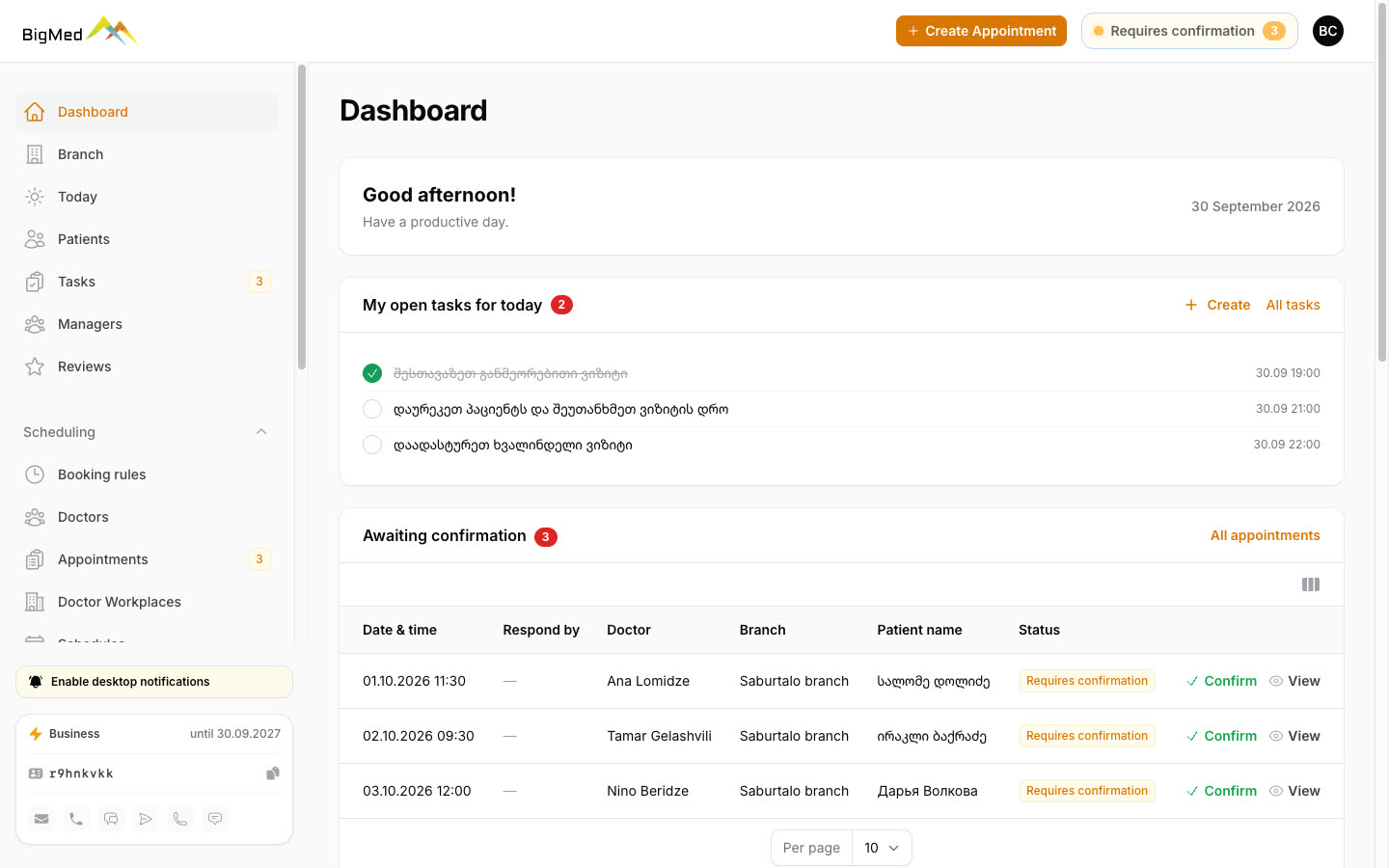
Clinic management panel on BigMed

For clinics

Every booking in one place: from BigMed, your website, and the phone.

Patients find you on BigMed and pick a doctor and a time. The request shows up in your panel right away, and both the clinic and the doctor get notified. All you do is confirm.

Clinic management panel on BigMed
2.4× organic BigMed visits per week: 202 → 477 GA4, July → September 2026
3 languages Georgian, Russian, English. Patients choose the consultation language
79% of visitors come from a phone. The booking form is built for mobile
0 ₾ commission per booking. Patients pay the clinic for the visit

For clinic owners

You decide whether to adopt the system, and you see the results. What's happening in your clinic is visible in the panel, not just in what your staff tell you.

Available now

  • You set the access rules: a manager sees only their own branch, and only the owner can change booking rules.
  • Every booking shows who created it: the patient on the website, the front desk, or the doctor.
  • 30-day statistics: bookings, no-show rate, and revenue.
  • Tasks show who completed them and when.

Coming soon

  • Manager reports: how many requests each person handled, how fast they responded, and how many visits took place.
  • Messaging patients right from the panel.
In development

Finances: the doctor's share and the clinic's share

In many clinics, the visit fee is split between the doctor and the clinic by percentage, for example 60% to the doctor and 40% to the clinic, and it's still calculated in a spreadsheet or on a calculator. The finance module will split every completed visit automatically by the doctor's percentage. For any period, you'll see how much each doctor is owed, record payouts, and see the balance. Only the owner can see and change the percentages and financial reports.

Google's AI recommends BigMed to patients

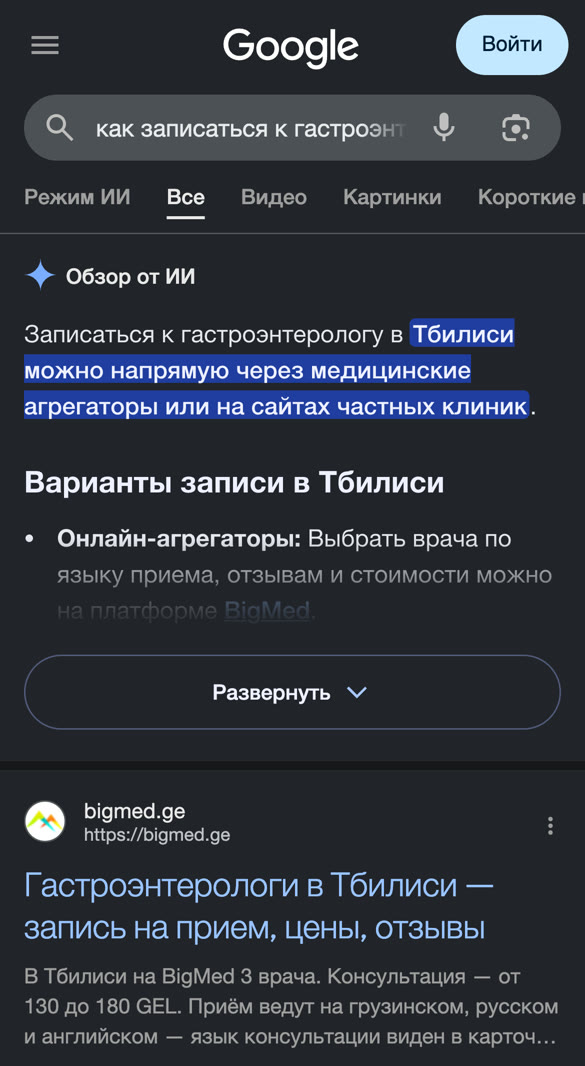
A patient asks Google, the AI recommends BigMed, and the booking shows up in your panel.

ChatGPT and other AI assistants read and cite BigMed's pages. In a one-year measurement (August 2026), visitors from ChatGPT booked about four times as often as visitors from Google.

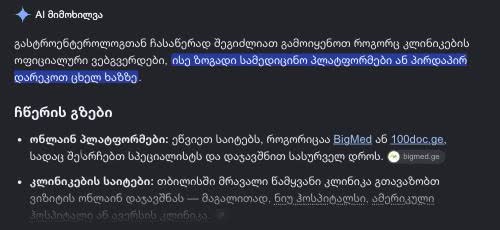
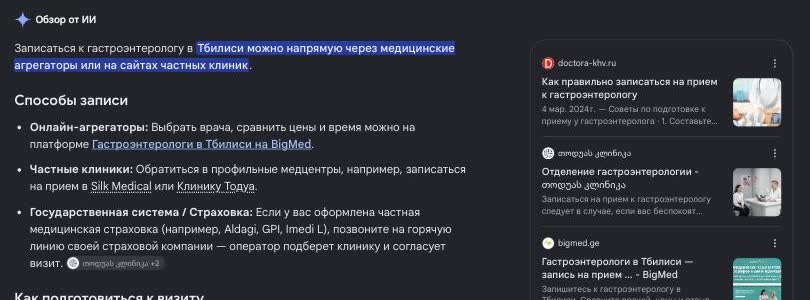
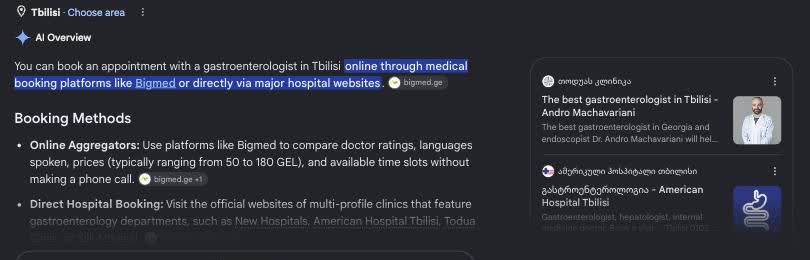
Real screenshots from Google, September 30, 2026

Google, desktop: “როგორ ჩავეწერო გასტროენტეროლოგთან”
Google, desktop: “как записаться к гастроэнтерологу”
Google, desktop: “how to book a gastroenterologist in tbilisi”
Google, mobile: the AI tip and BigMed ranked first

AI answers vary from one search to the next. These are real results we got from Tbilisi on September 30, 2026.

Sound familiar?

  • The phone rings in the middle of an appointment, and bookings live in a notebook or a spreadsheet.
  • Patients message you on WhatsApp, Messenger, and Viber, and replies get lost.
  • A patient forgets the visit, and the doctor's slot goes to waste.
  • A foreigner calls and can't tell which doctor speaks their language.

How it works

  1. 1

    A patient books

    On BigMed, on your website, or by phone. It all goes into one schedule, so the same slot can't be booked twice.

  2. 2

    Instant notification

    A card with a sound alert pops up in the panel. The clinic gets a message on Telegram or by email, and the doctor on Telegram, WhatsApp, or by email.

  3. 3

    One-click confirmation

    The patient gets a confirmation and, the day before the visit, a reminder.

What's in the panel

New bookings don't slip by

When a patient books, a card and a sound alert appear in the panel, even if it's open in a background tab. The card shows the patient, doctor, branch, and time. Staff can see who is working on a booking, so a patient never gets two calls about the same thing.

Today's and tomorrow's patients on one screen

The Today screen lists every visit by time and doctor, with phone number, price, and status. One click takes you to tomorrow. After each visit, you mark whether it happened.

Phone bookings go here too

The front desk finds the patient by phone number and picks a doctor and a free slot. The doctor gets a notification, and the patient can too. One schedule for the website and the phone.

Patient card and CRM

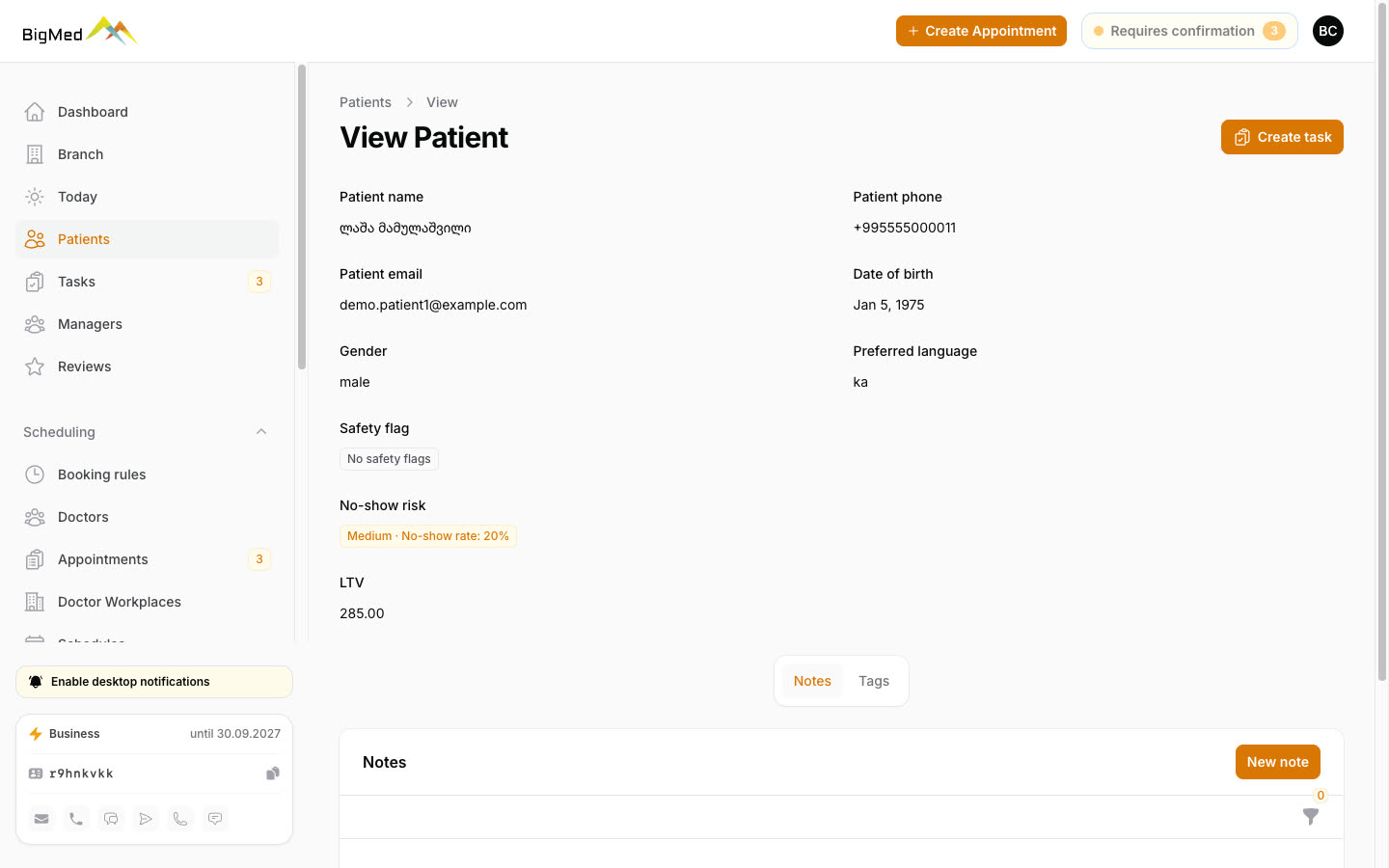
Patient card and CRM

Visit history, preferred language, no-show risk, lifetime value (LTV), notes, and tags. If a patient often misses visits, the panel creates a task: call and confirm. There's no blacklist, just a reminder.

Tasks between shifts

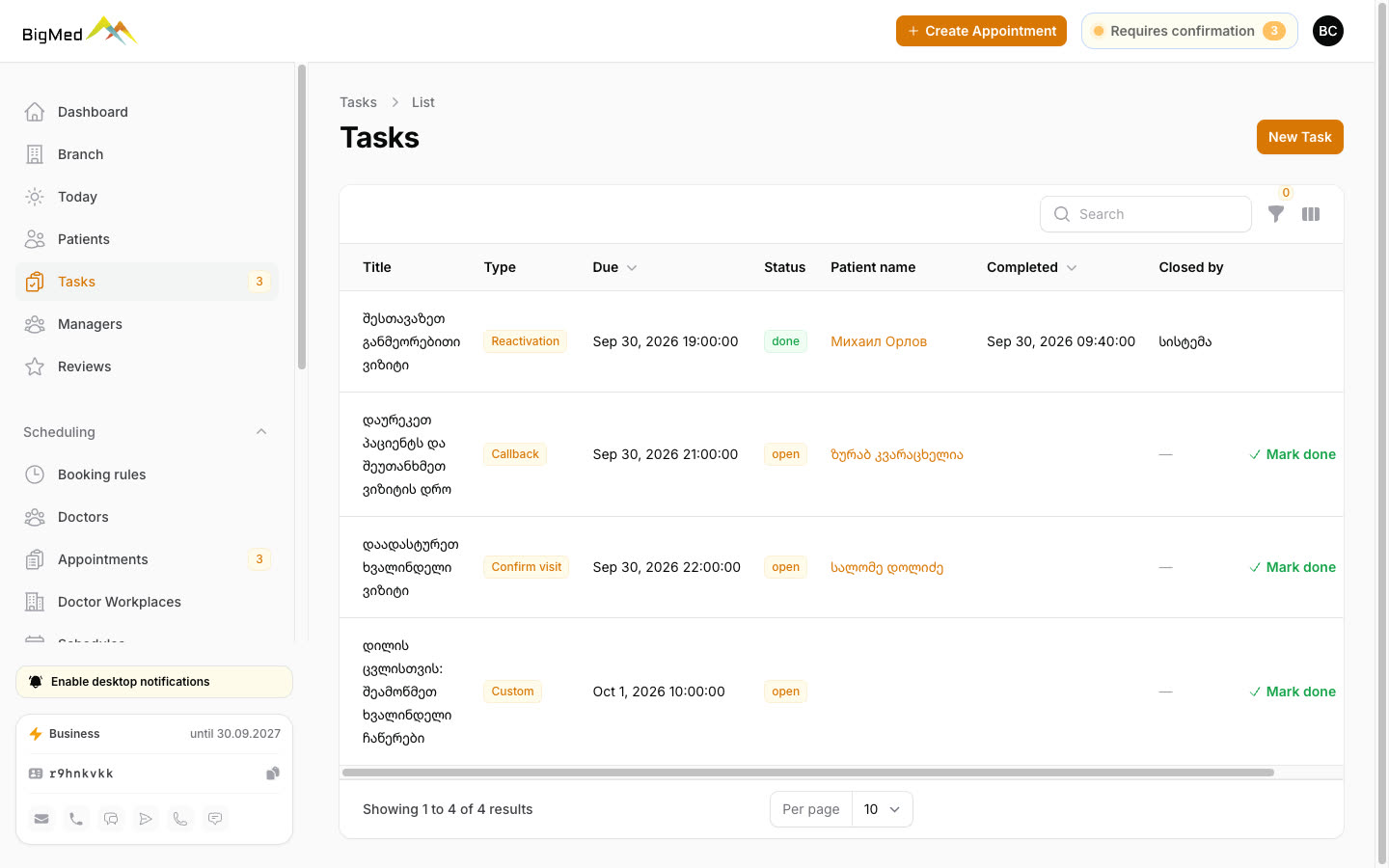
Tasks between shifts

The evening manager didn't get to call a patient back? They leave a task for tomorrow. The morning shift opens the panel, sees what's left, does it, and checks it off. You can see who completed it and when. The panel creates some tasks on its own, for example calling a patient who often misses visits.

Doctor schedules and days off

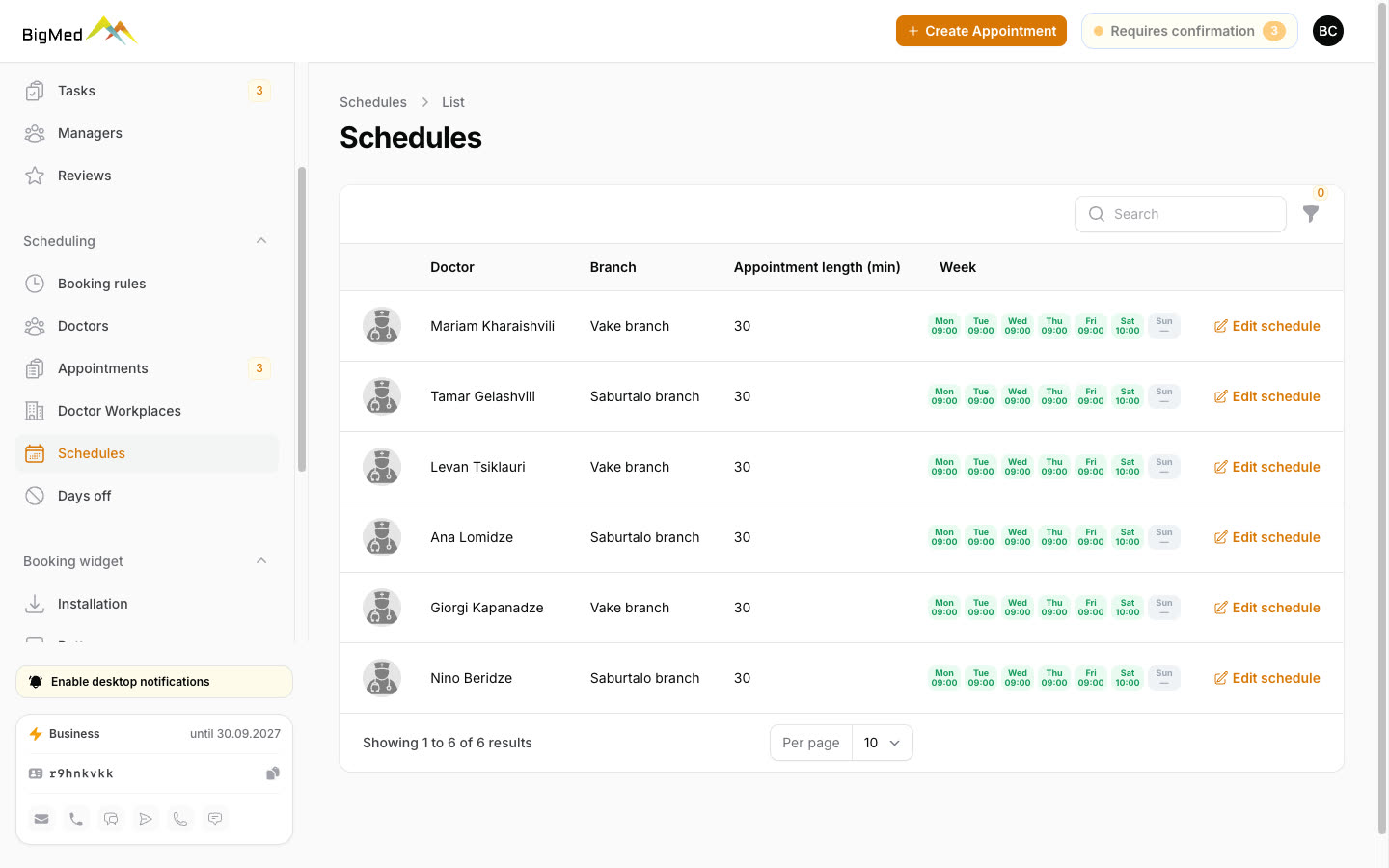
Doctor schedules and days off

A weekly schedule for every doctor and branch, plus vacations and days off. Booking rules set how far ahead of a visit patients can book, so the front desk has time to call.

Statistics

Statistics

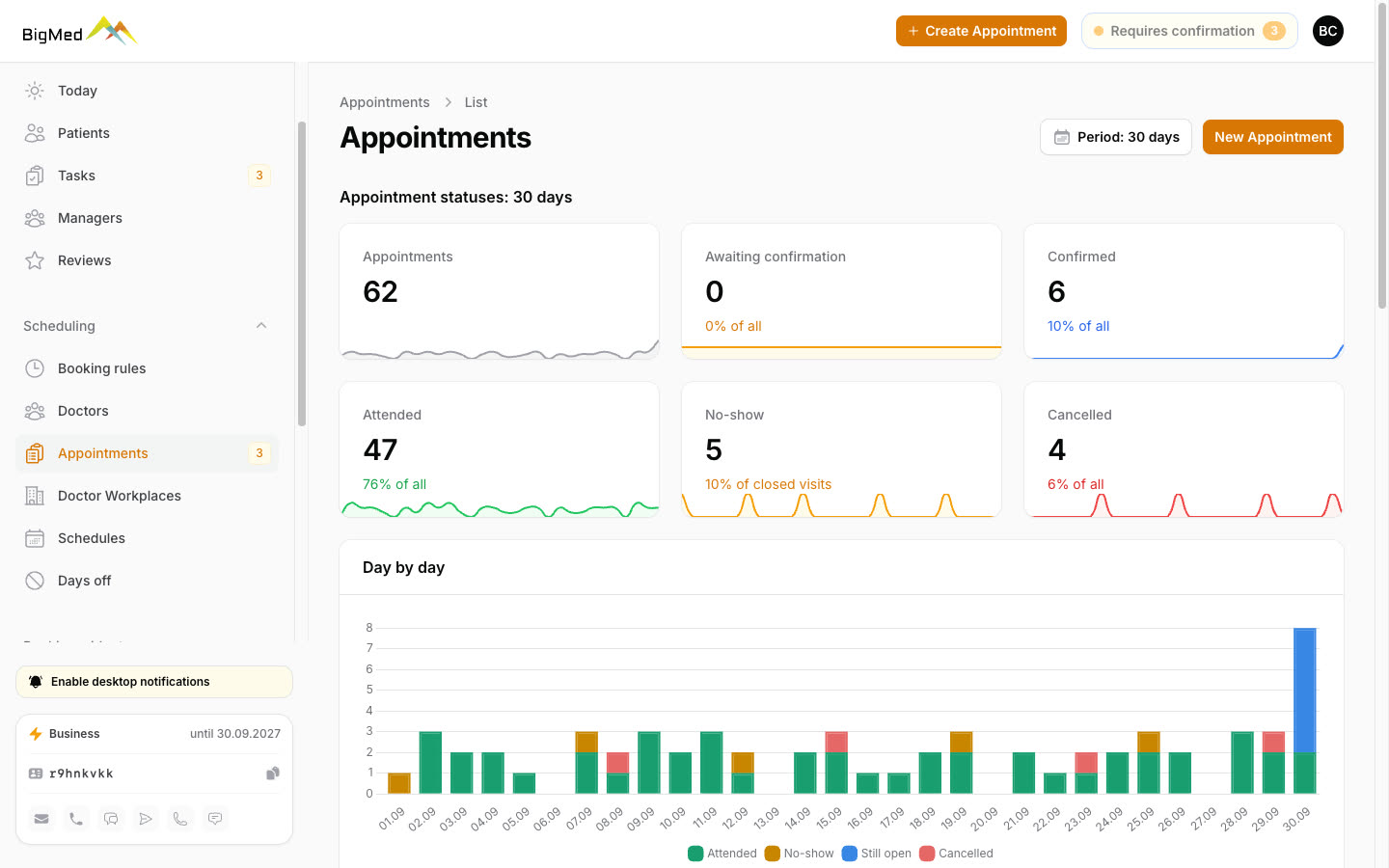
Bookings for the last 30 days: completed, canceled, no-shows. You can see where and when you lose patients.

A booking button on your website

A booking button on your website

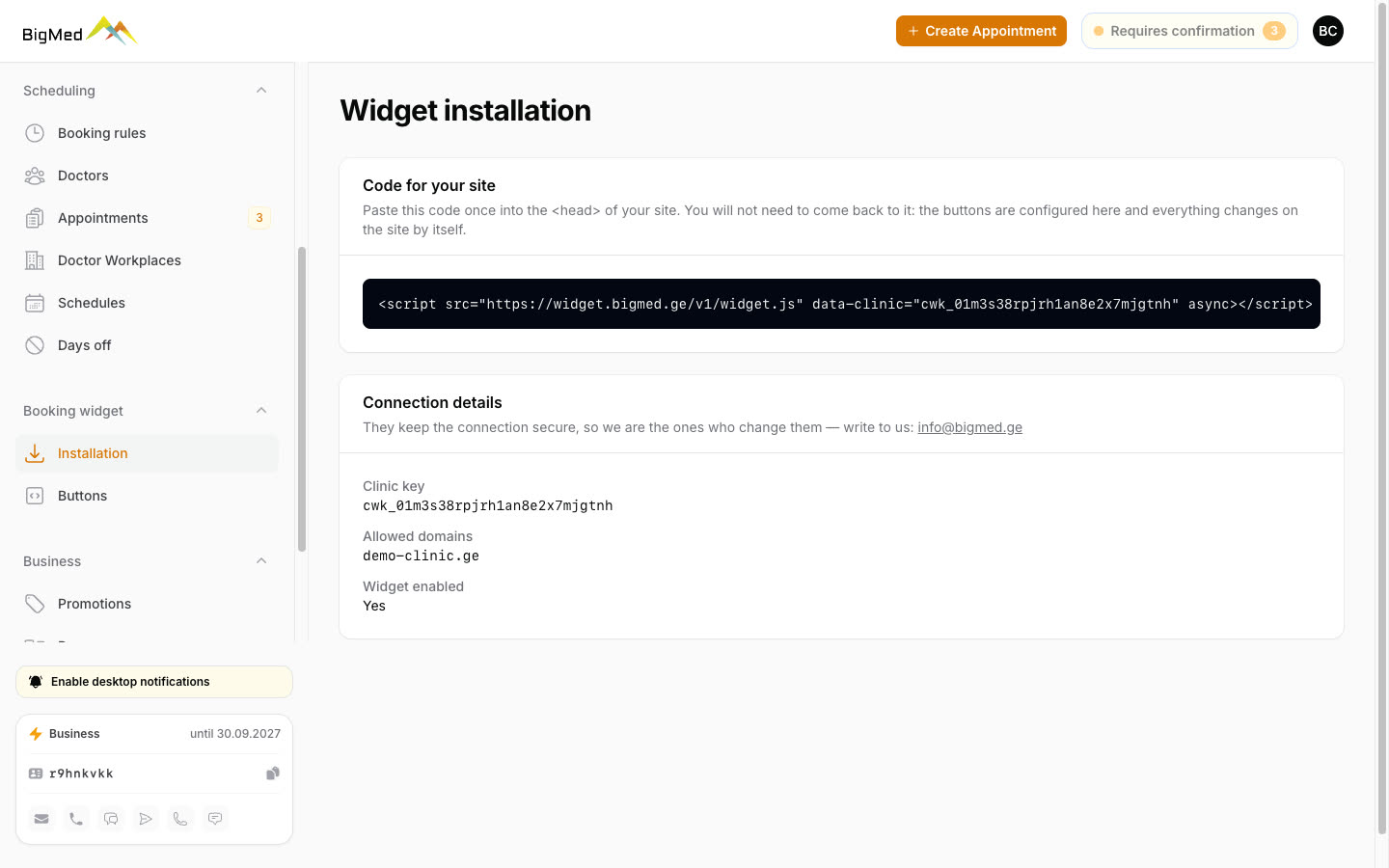
One line of code adds a booking button to your website, using the same schedule as BigMed. No double bookings. Our team turns the widget on for you.

Reviews only from real patients

Reviews only from real patients

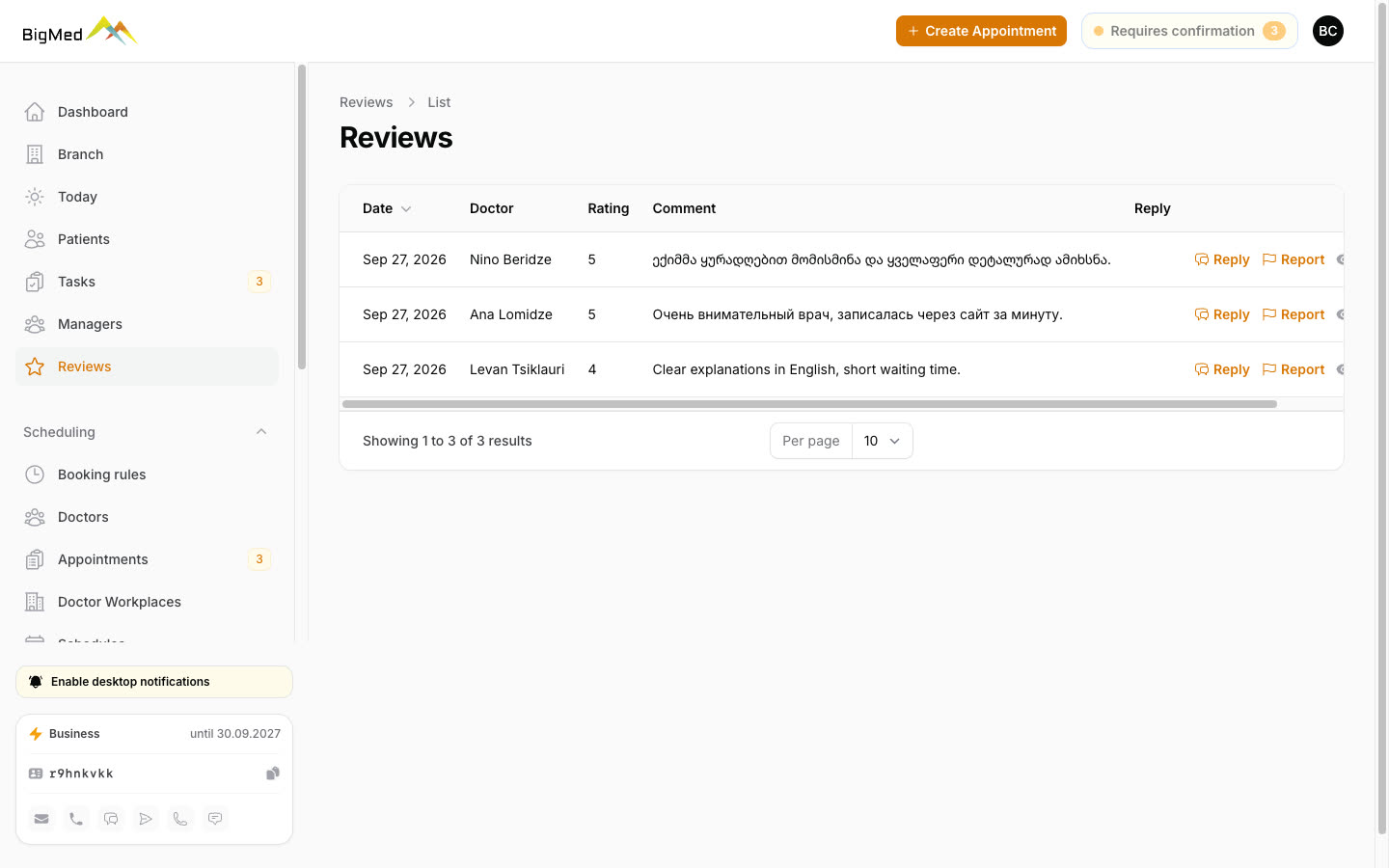
Only a patient who actually had a visit can leave a review: the invitation arrives after the visit, and a moderator checks every review before it goes live. You can reply right from the panel.

For doctors

Each doctor has their own dashboard: a booking calendar, who's coming tomorrow and the day after, and which slots are free. New bookings trigger an email, and on the Pro plan also a Telegram or WhatsApp message. Doctors can confirm a booking straight from the email, without logging in.

Promotions and banners on BigMed

Running a promotion? Post it on BigMed yourself: on the promotions page and in doctor listings, with banners across the site. The Business plan allows up to 20 promotions and 10 banners at a time.

Branches, managers, security

  • Up to ten branches in one panel.
  • A manager sees only their own branch's bookings.
  • The panel works in Georgian, Russian, and English.
  • Patient names, phone numbers, and emails are stored encrypted. Other clinics can't see your patients.

Plan

The management panel and CRM are part of the Business plan. You can start your BigMed presence on the free Start plan.

See plans

info@bigmed.ge · +995 557 20 40 47

FAQ

Do we have to replace our current system?

No. You can start with the bookings that come from BigMed and gradually add phone bookings here too.

Who can see patient data?

Only your clinic's staff, and a manager sees only their own branch's bookings. Other clinics can't see your records.

Do you charge a commission per booking?

No. Booking is free for the patient, who pays the clinic for the visit.

What languages does the panel support?

Georgian, Russian, and English. Each staff member picks their own language.

Who helps us get started?

Our team will help you set up branches, doctors, and schedules.

The screenshots use demo data: the doctors, patients, and phone numbers are made up.